Market and pending orders
In MT5, besides market orders filled at the current price, you can place pending orders at a set price. The pending orders are Buy Limit, Sell Limit, Buy Stop and Sell Stop, plus the combined Buy Stop Limit and Sell Stop Limit.[1] Other platforms and brokers may use different names or offer different order types.
Where the four orders go
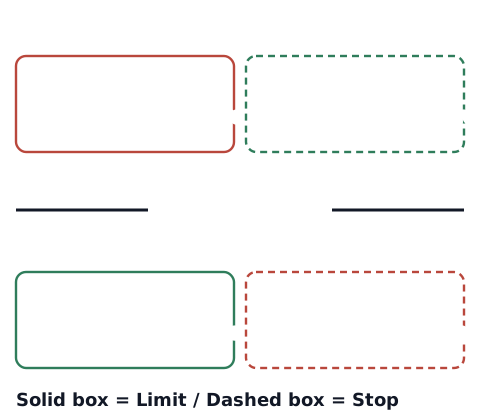
- Buy Limit: placed below the current price; buys if price falls to it
- Sell Limit: placed above the current price; sells if price rises to it
- Buy Stop: placed above the current price; buys if price rises to it
- Sell Stop: placed below the current price; sells if price falls to it
One way to remember: "a limit buys low or sells high; a stop does the opposite". If you pick the wrong one, the price you set ends up on the wrong side of the current price (for example, a Buy Limit above the current price). Depending on the platform, the order may then be rejected or fill right away.[1][2] Stop orders are also what stop-losses use.
Say the current price is 1.1000. To buy if price falls, place a Buy Limit at 1.0950. To buy if price rises past 1.1050, place a Buy Stop at 1.1050. To sell if price rises, place a Sell Limit at 1.1050. To sell if price falls below 1.0950, place a Sell Stop at 1.0950.
Which price triggers them
A forex price has a bid (the price you sell at) and an ask (the price you buy at) (see what is the spread). The MT5 help says buy pending orders trigger when the ask reaches your level, and sell pending orders when the bid does. Stop-loss and take-profit are checked against the bid for buy positions and the ask for sell positions.[2] MT5 charts are normally drawn from the bid (for symbols with market depth, they can be drawn from the last price).[3] So a buy stop or a sell position's stop-loss placed above the price can trigger early, and a buy limit or a sell position's take-profit placed below it can trigger late, compared with the chart line (our own explanation).
A stop can fill at a different price
Stop orders and stop-losses trigger when price reaches your level. The MT5 help says a stop order is executed at the price you set or a worse one.[1] In our explanation, the gap can be larger in fast moves, or when price opens with a jump after the market's weekly close. How much worse depends on the move at that moment and on how your broker and account fill orders. When you calculate the loss from your stop distance, it helps to keep this possibility in mind.
Check your own records (you decide)
This article does not decide which order to use. To review how you use orders, log these so you can look back later:
- Which order you entered with (market, limit or stop)
- The price you set and the price you actually got
- Whether your stop-loss or take-profit filled at the price you set
The stop-loss and take-profit calculator finds the prices, and the profit and loss calculator shows the result of closing at a price.
Sources
- MetaQuotes. Executing Trades (MetaTrader 5 Help). https://www.metatrader5.com/en/terminal/help/trading/performing_deals
- MetaQuotes. General Concepts (MetaTrader 5 Help). https://www.metatrader5.com/en/terminal/help/trading/general_concept
- MetaQuotes. Chart Settings (MetaTrader 5 Help). https://www.metatrader5.com/en/terminal/help/charts_advanced/charts_settings