Home › The app › Logging trades
The app
Logging trades
You can enter trades by hand, both trades you have closed and trades you still hold (open trades). Logging by hand is free, with no end date.
On an iPhone or a computer, use it in your browser; on Android, use the app from Google Play. You can pay for the paid plan on the web version only in five countries: Japan, the United States, Australia, New Zealand and Singapore. In other countries and regions, you can pay through Google Play in the Android app.
Open in your browser (nothing to install, free)
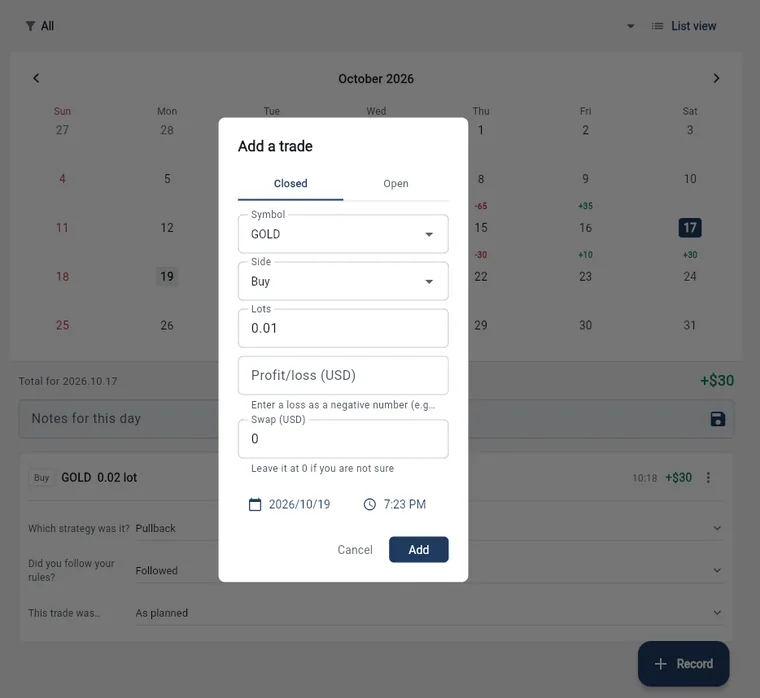
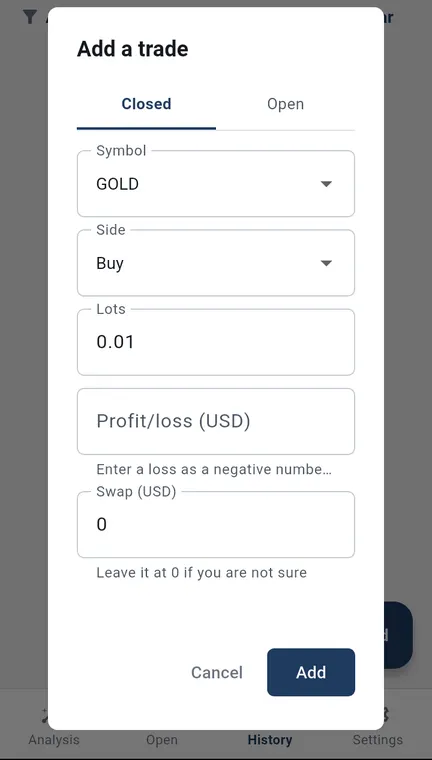
The numbers in the pictures are sample records. They do not show real results or what you will get from using the app. Wide pictures are the web version on a computer; tall pictures are the Android app.
Entering a closed trade by hand
- Enter the symbol, side (buy or sell), lots, profit or loss, swap, and the date and time. Enter a loss as a negative number (for example, -30).
- If you are not sure of the swap, you can leave it at 0.
- Add the symbols you trade often to “Symbols for manual entry” in Settings, and you can pick them from a list. You can still type any symbol that is not on the list.
Open trades, closing and partial closes
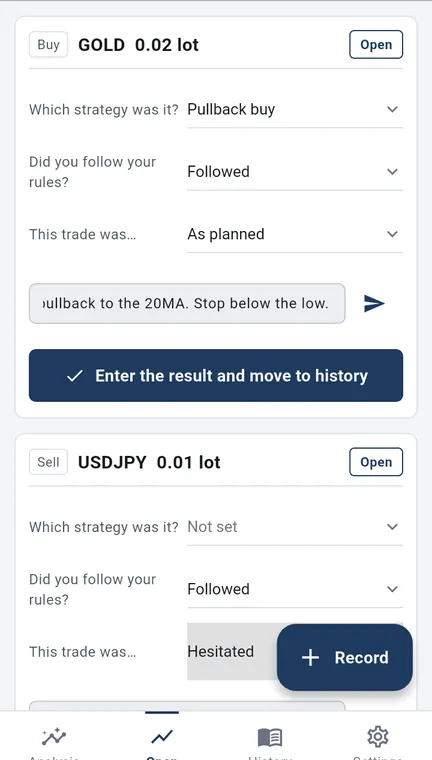
- Use the “Open” tab to enter a trade you still hold. Open trades appear as cards, where you can set the strategy, whether you followed your rules, what the trade was like (“This trade was…”), and a note.
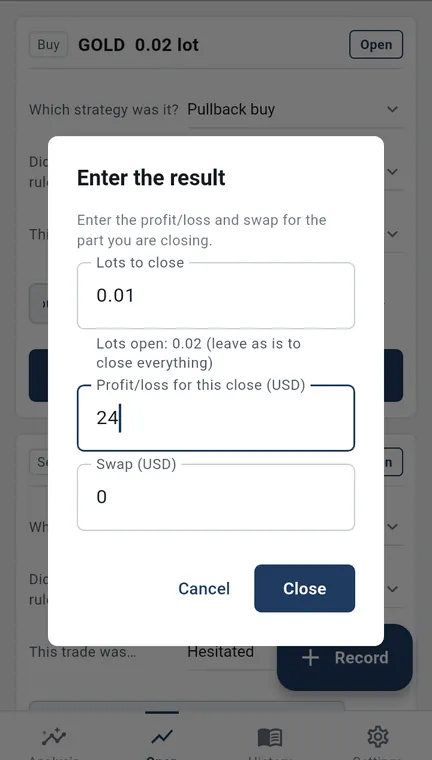
- When you close it, tap “Enter the result and move to history” on the card and enter the profit or loss and swap.
- Enter fewer lots than you hold to close only part of the trade. The rest stays open, and the card shows that it was partly closed.
Editing and deleting
- You can edit or delete each record.
- You can also delete all closed trades in a date range at once (open trades are not deleted).
Importing many trades by pasting CSV text
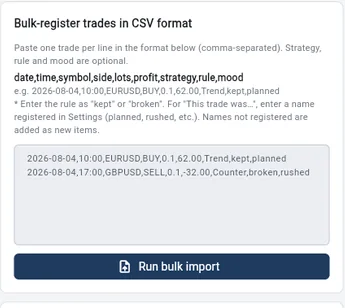
- In Settings, under “Bulk-register trades in CSV format”, paste one trade per line. You paste text; you do not upload a file.
- The format is “date,time,symbol,side,lots,profit,strategy,rule,mood”. Strategy, rule and mood are optional.
- On the screen the rule shows as “Followed” or “Broken”, but in the CSV text you enter it as “kept” or “broken”. For the mood, a name you registered in Settings (such as planned or rushed) is used as is, and a name that is not registered is added as a new option.
- You can import up to 500 lines at a time. Importing is free.
Deposits, withdrawals and starting balance
- Record deposits and withdrawals with a date and a note. They are included in your balance.
- Enter the balance you started with, and adjust it if it gets out of line.
Display currency
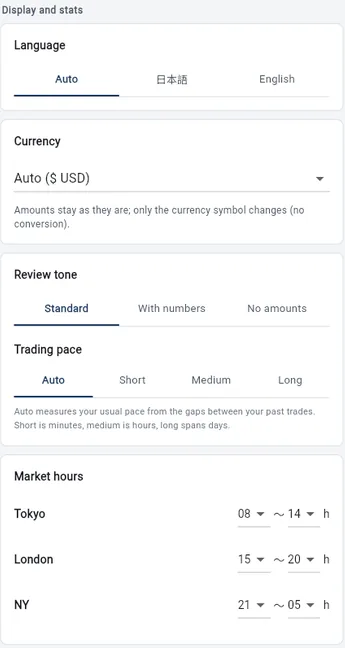
- Choose the currency shown from 17 currencies, including the yen, US dollar, euro and pound.
- Only the currency symbol changes. Amounts are not converted.
On the paid plan
Recording trades automatically from MT4/MT5 on a computer is a paid-plan feature (see What the paid plan adds).
What we do not do
- We do not give investment advice, tell you what to trade, or predict future profit or loss. We do not promise profits.
- Trading carries the risk of losing your money. Your trading decisions and results are your own responsibility.
Try it
Open the app (you can start free)
This opens the web version. If you notice a problem, please contact us.
Kenji Okumura, Representative, Tiltnote
Updated 24 Oct 2026 · Run by Kenji Okumura, Representative, Tiltnote · About this site